Cognota
Streamlining Project Setup: Task Bundle Enhancements
The Problem
A recurring theme in customer feedback: setting up a new project required too much manual work. Project owners and teams had to recreate the same structures from scratch each time, and they wanted templates, dependencies, and smarter defaults to get projects running faster and stay consistent across teams.
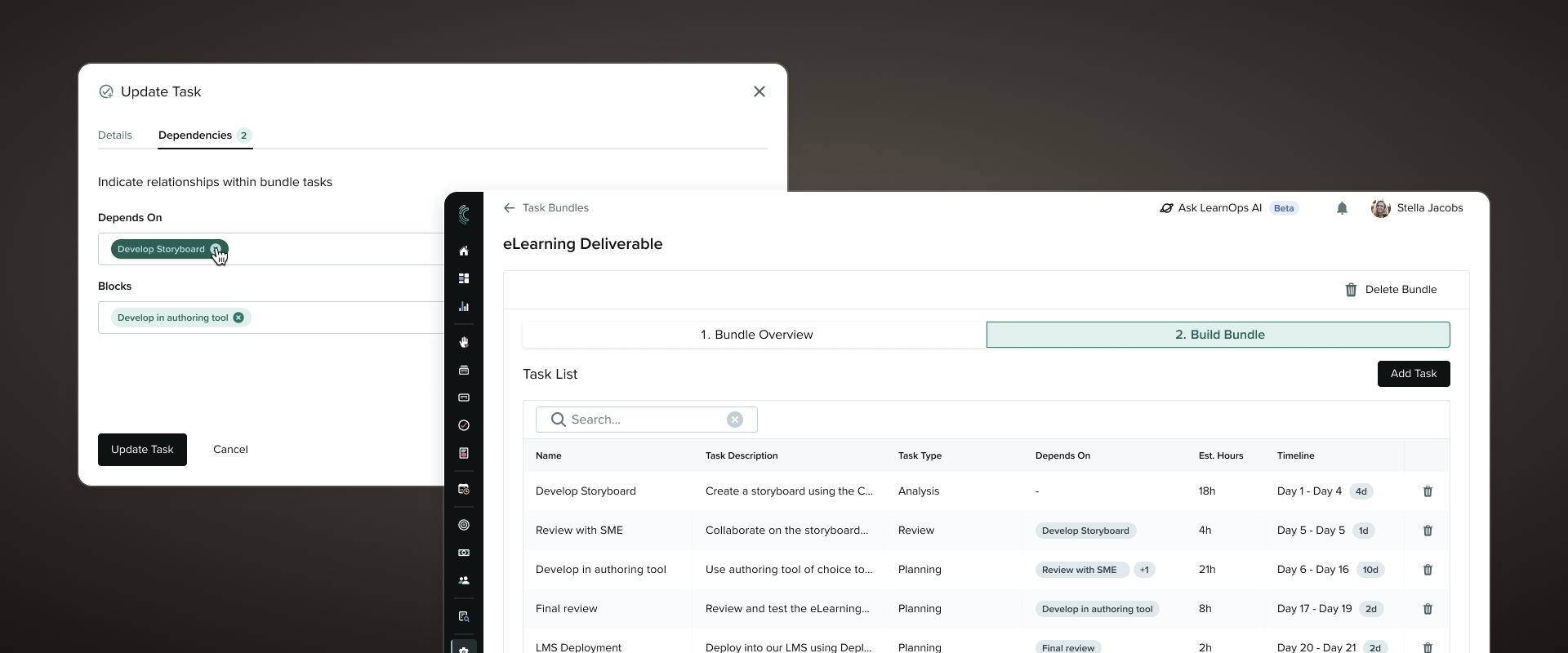
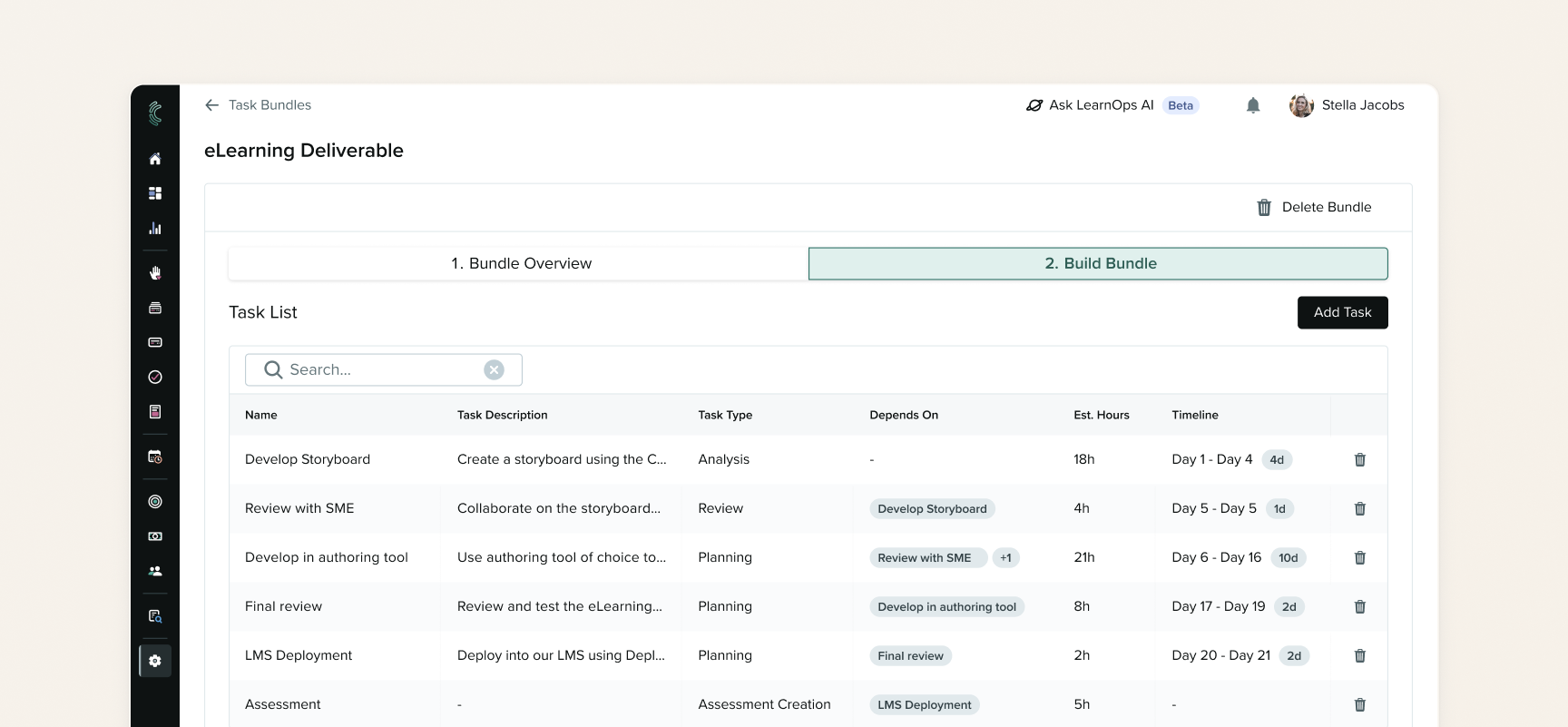
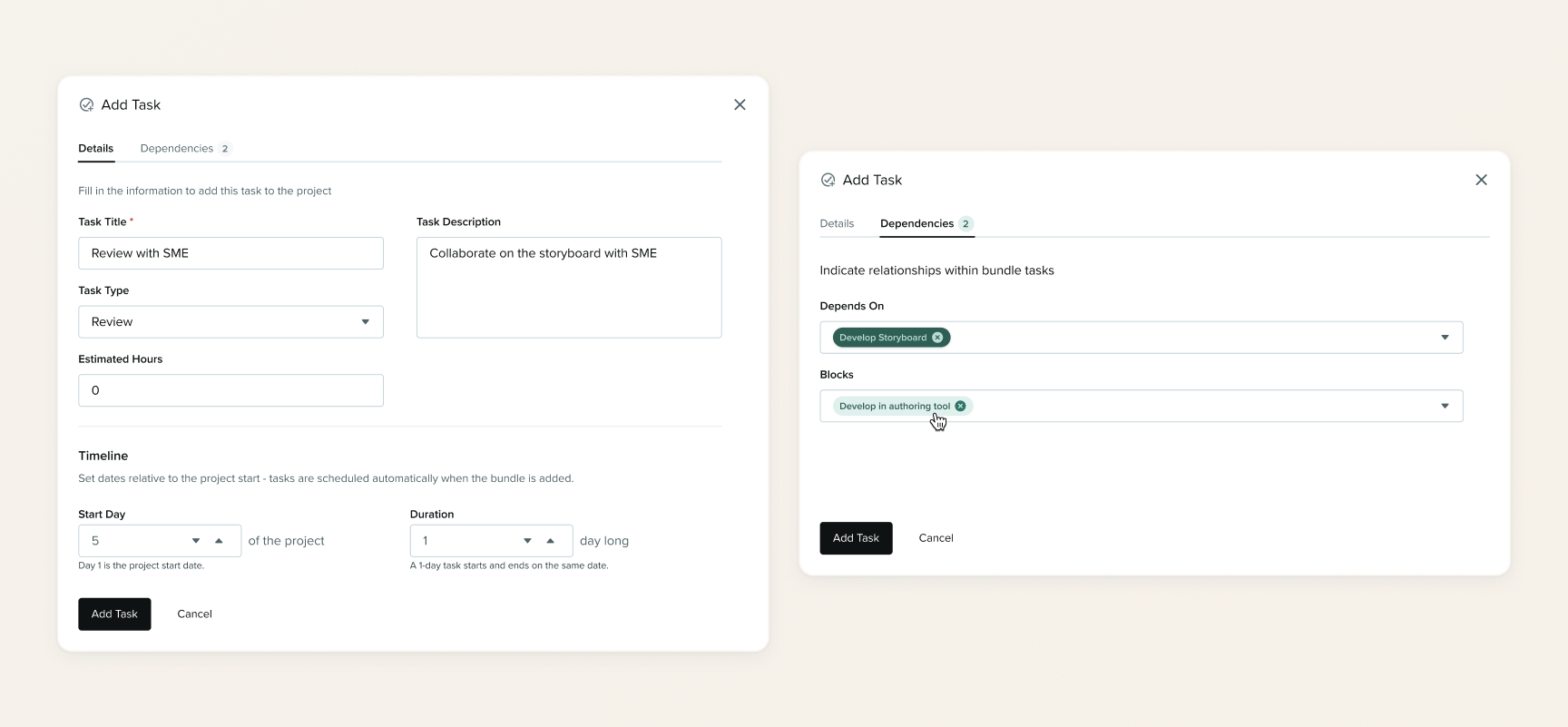
Cognota already offered task bundles, letting teams define a task set once and reuse it across projects. It's one of the most-used features for standardizing repeatable L&D workflows. But dependencies, already designed and built at the individual task level, weren't supported inside bundles. Customers flagged that gap as a blocker to broader dependency adoption, and it affected 10 strategic accounts. Teams also had to set dates manually on every task in every new project.
The goal was to solve both at once: make project setup faster, and remove the dependencies gap blocking bundle adoption.
This project had been deprioritized due to technical debt in the bundles' settings module, but an earlier refactor finally made it possible to prioritize.
Process
Given the project's narrow scope, a short timeline to development handoff, and our confidence in the direction grounded in consistent customer feedback, the Product and Design team leaned on AI for several steps of this project.
Discovery
The PM and I used Cowork to pull together customer feedback collected across multiple apps and channels, which built the case for the work and confirmed the scope of the problem. The signal was consistent enough that the team agreed quickly that enhancing bundles was worth doing.
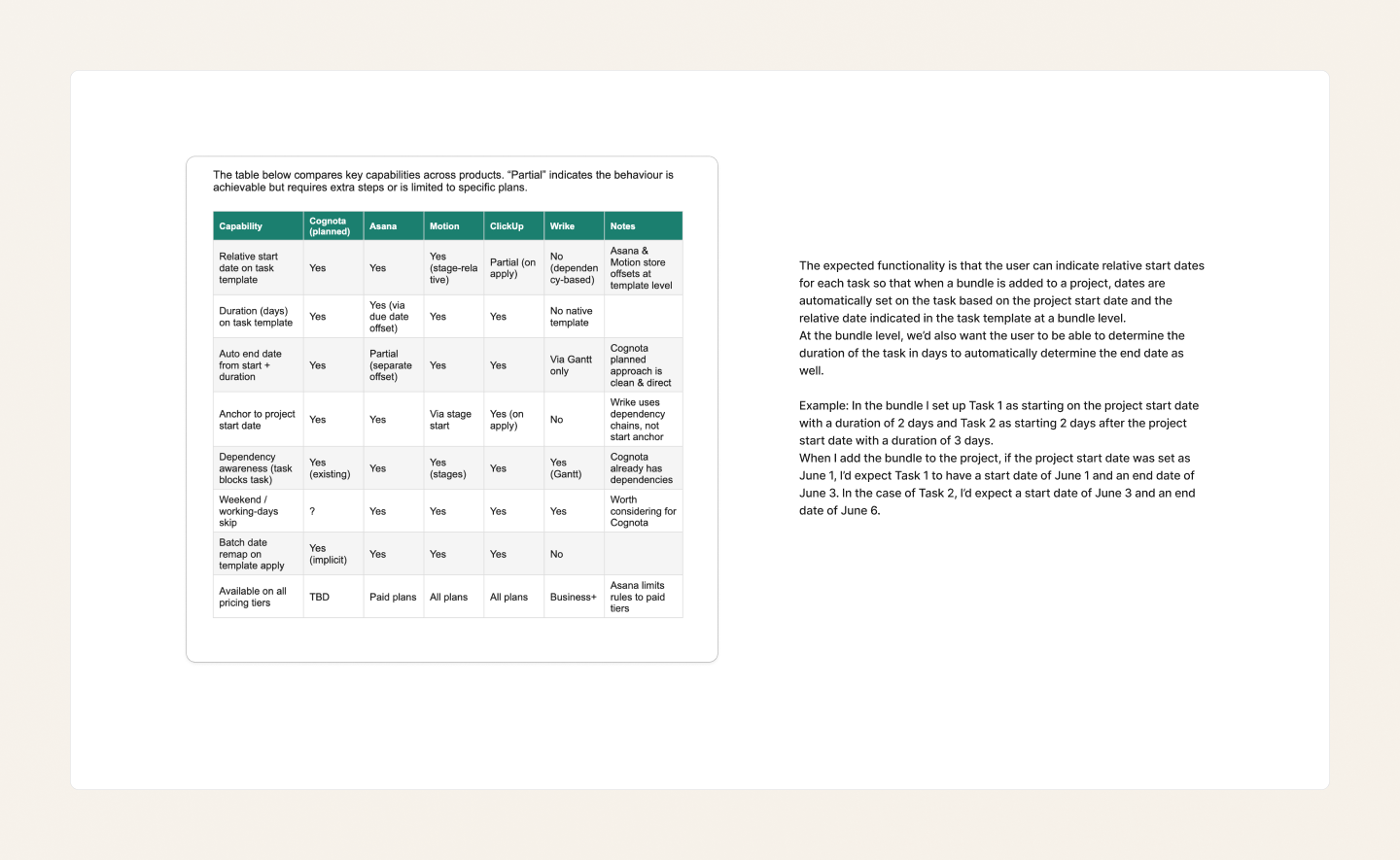
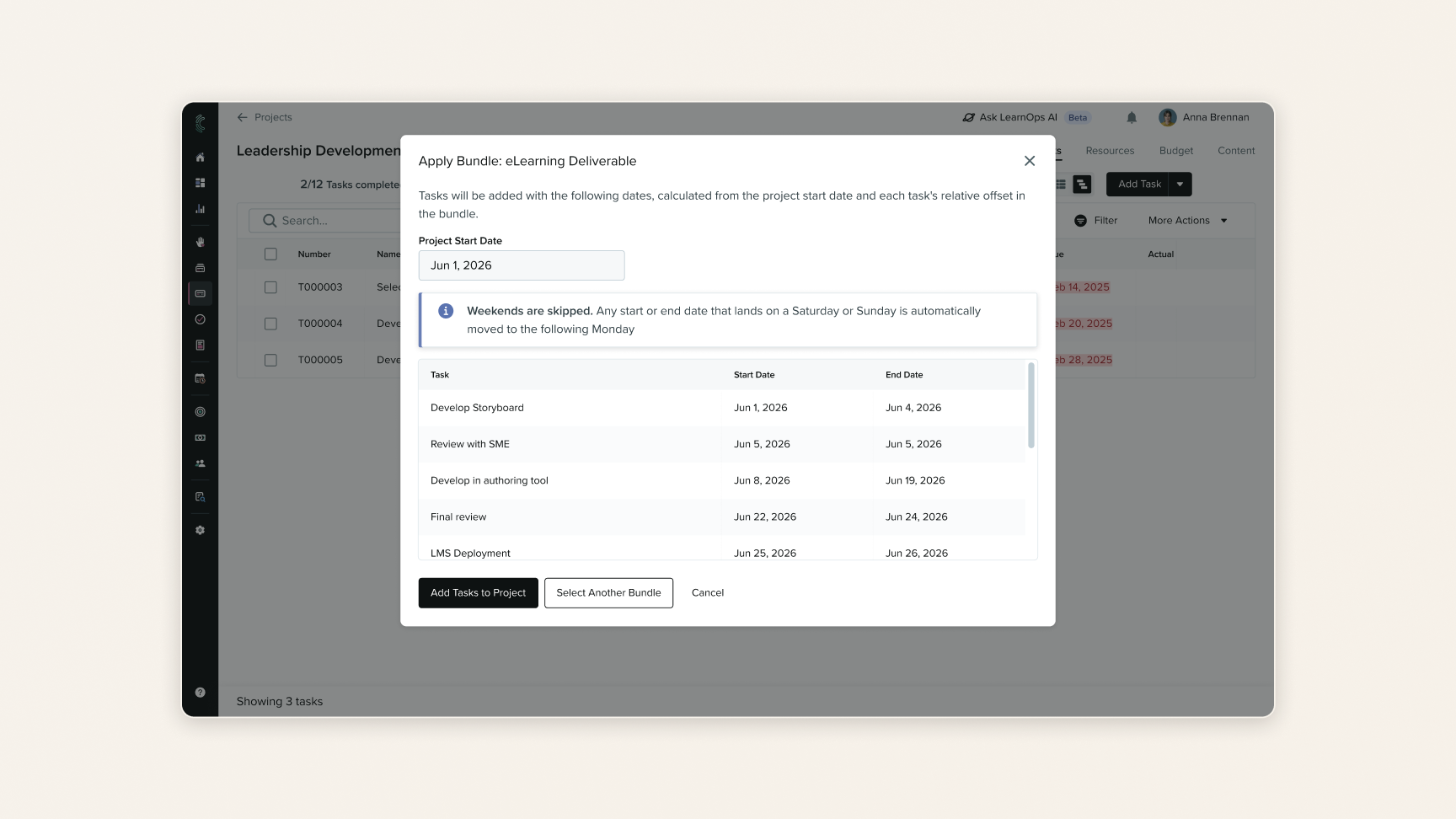
We split the work into two projects: adding dependencies to task bundles, and adding relative dates. Relative dates would let users set, at the bundle level, a relative start date for each task (days after project start) and a duration in days, with the end date calculated from the two.
Relative dates were net-new to the product, so I used Cowork to run a competitive analysis of project management tools with similar functionality, to make sure we followed patterns customers would already recognize. That validated the direction and prompted us to add a skip-weekends setting, similar to the one in our Gantt chart date-shifting.
Design
Since I'd already designed dependencies for the individual task page, I was confident enough in the direction to skip traditional wireframes. I used Claude Cowork and Claude Design to ideate an initial draft, then Cowork again to critique the output, before validating it with the PM and lead developer and iterating.
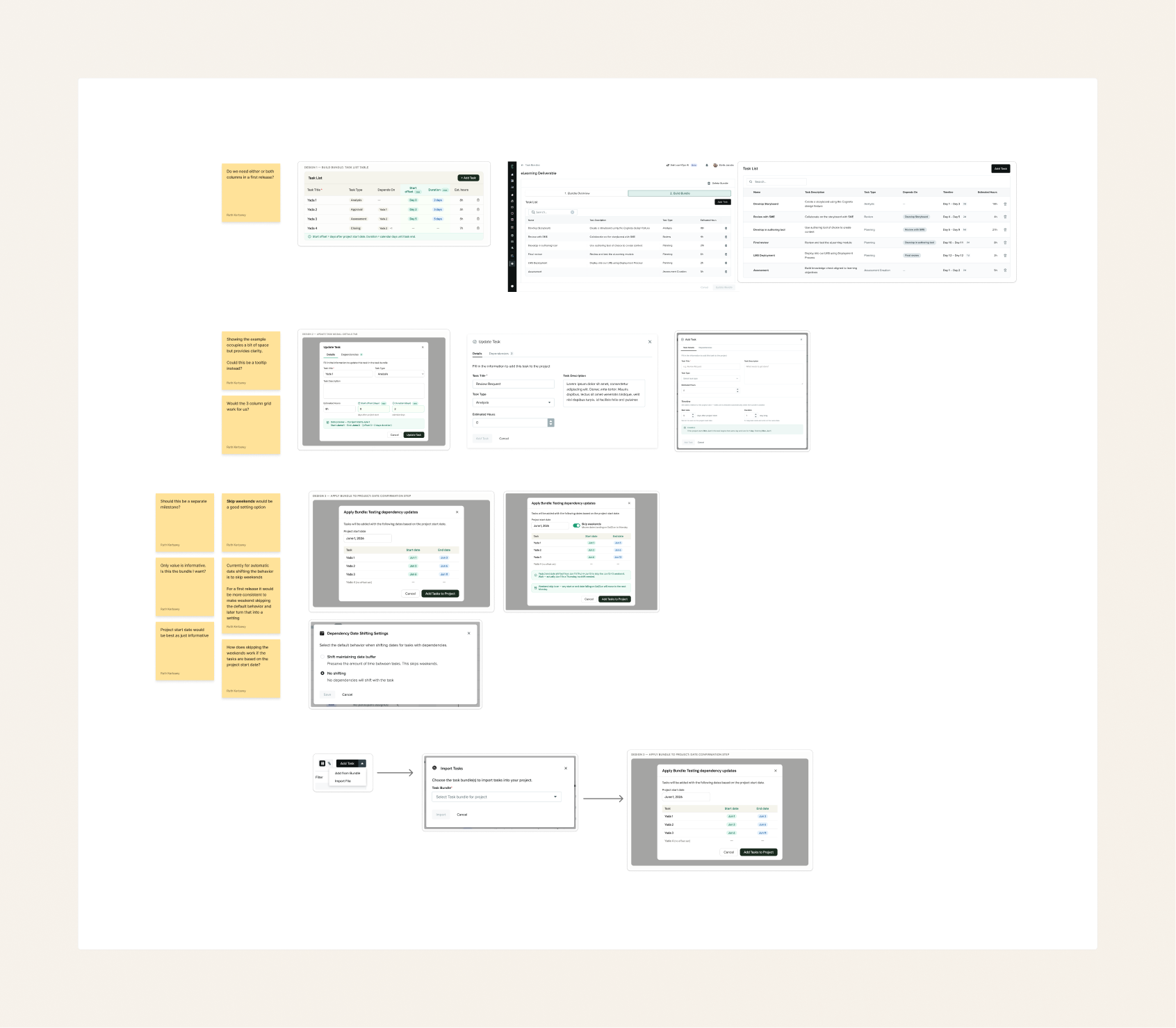
Once the PM, the lead developer and I were confident in the relative dates approach, I ideated further with Cowork and Claude Design, then reviewed it with the internal team.
The Claude Design ideation produced a mid-fidelity prototype I handed off to the developer as a reference for feature interactions. We'd previously moved our design system into Claude Design to make prototyping faster.
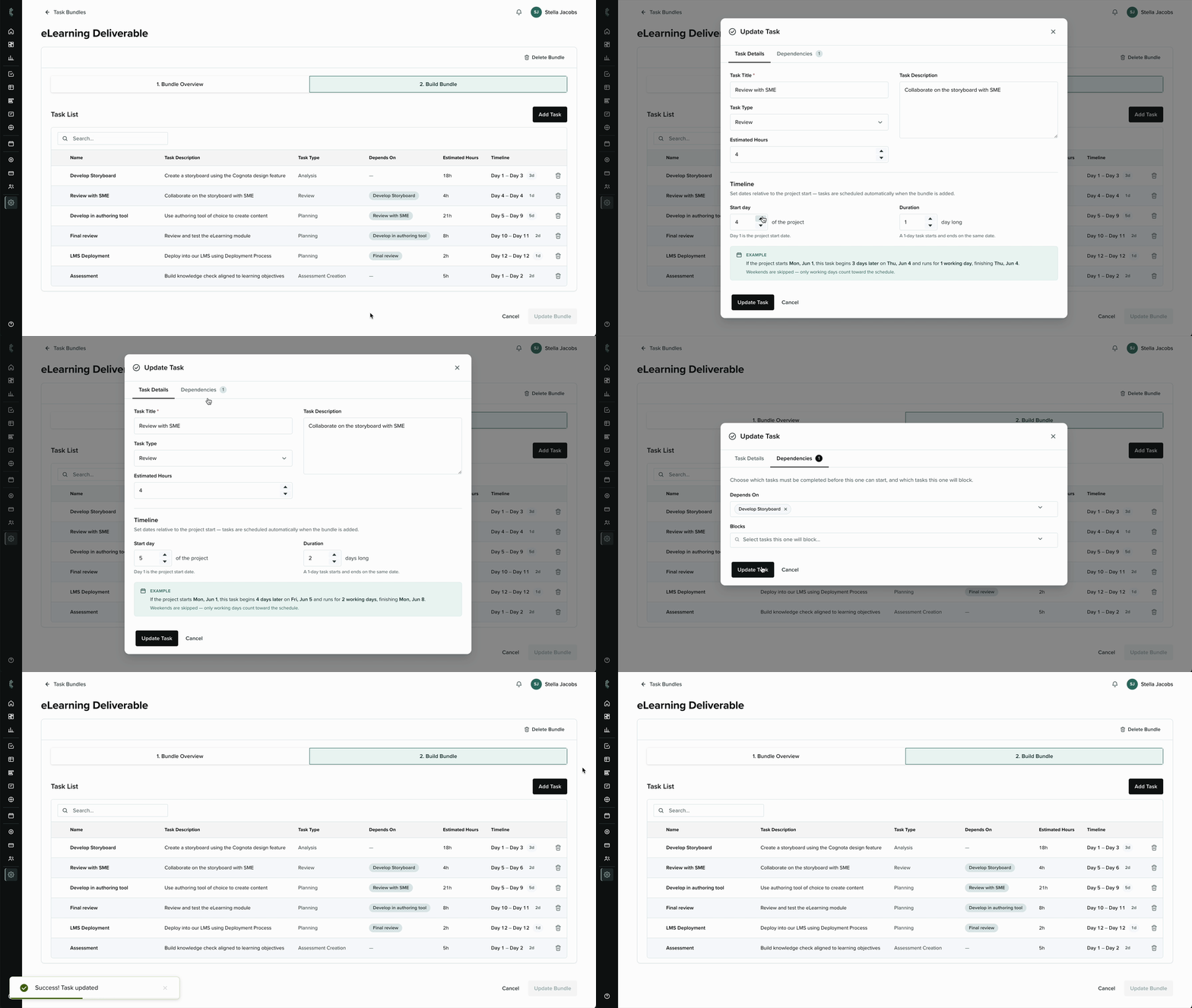
I also built high-fidelity mockups in Figma for both the dependencies and relative dates work, using our existing design system. Those became the base for the final visual styling.
Key Decisions
Using AI across multiple parts of the work. Claude tools significantly optimized both the discovery and design phases of this project.
- Claude tools sped up discovery and design on this project. During discovery, Cowork pulled together feedback from multiple internal sources, which helped us make a stronger case for where to invest that quarter. Without it the process would have taken longer, and we'd probably have missed some data points.
- When the PM had to step away partway through, I picked up more of the product work and used AI tools to handle the added scope without slowing things down.
Outcome
These task bundle enhancements had been a long-awaited feature request, so the release was met with positive feedback from customers. The dependencies work on its own closed the adoption gap across all 10 strategic accounts.
"Love this update. You've made folks happy with this." — Cognota Admin and Power User
 Back to Main Page
