Cognota
Connecting Learning Work to Goals: Strategic Alignment
The Problem
Cognota already held the work that learning teams did. Requests, programs, projects, tasks, capacity, and soon budget. What it didn't contain was the reason any of that work existed.
That gap showed up for our customers as a credibility problem. Learning teams ran programs all year, and when leadership asked what the business got back, most of them couldn't draw a clear line from a project to a company goal. Measurement was immature, the data lived across different systems, and learning was usually last in line to get anything configured in the tools finance and HR already owned.
"We're last man on the totem pole when it comes to working anything in the systems. Finance and HR are always going to come ahead of us." — L&D Manager, health benefits provider
Some of our enterprise accounts had asked for goal alignment directly, so we knew there was demand. What we didn't know was the shape it should take. Goal setting is a crowded space with a lot of heavy, established tooling around it, and it would have been easy to build a smaller version of something our customers were already paying for elsewhere.
Process
Discovery
We ran qualitative research over several weeks with learning and business leaders: two customer organizations, a former CLO of a professional services firm, a finance leader who had supported learning at a large media company, and an advisor who had run learning at enterprise scale.
I ran it with the Senior PM and the Senior Product Designer working on Budget Management. The two features showed up together in our customers' processes, so we shared one research effort.
Every conversation covered the same ground: how they plan, how strategy and objectives get aligned, how they report and measure ROI, and what tools they already had.
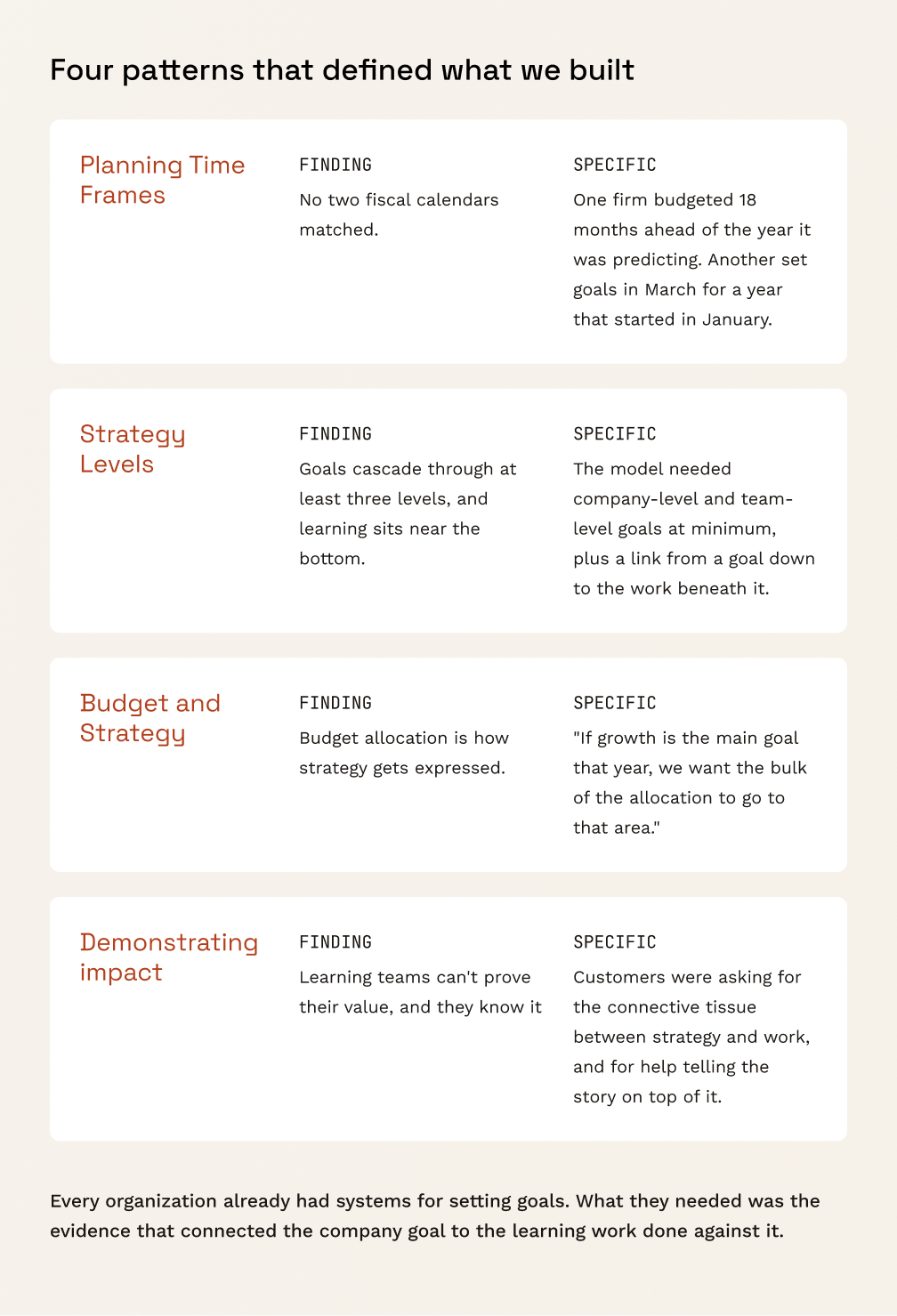
That last point is what set the scope. We weren't building an OKR tool: we were building the layer that connected the strategy to the work.
Defining the Model
Before designing any screens, we mapped how goals actually move through an organization: business goals at the top, learning goals underneath, and the initiatives that deliver against both, across a fiscal year.
Testing that against real examples from the interviews settled what Cognota needed to represent, and it was less than we'd assumed. A goal, where it sits in the org, who owns it, when it's active, and what work is linked to it.
From there I wrote the jobs to be done and mapped the two flows the feature stood on: creating a goal, and linking an initiative to one.
Design
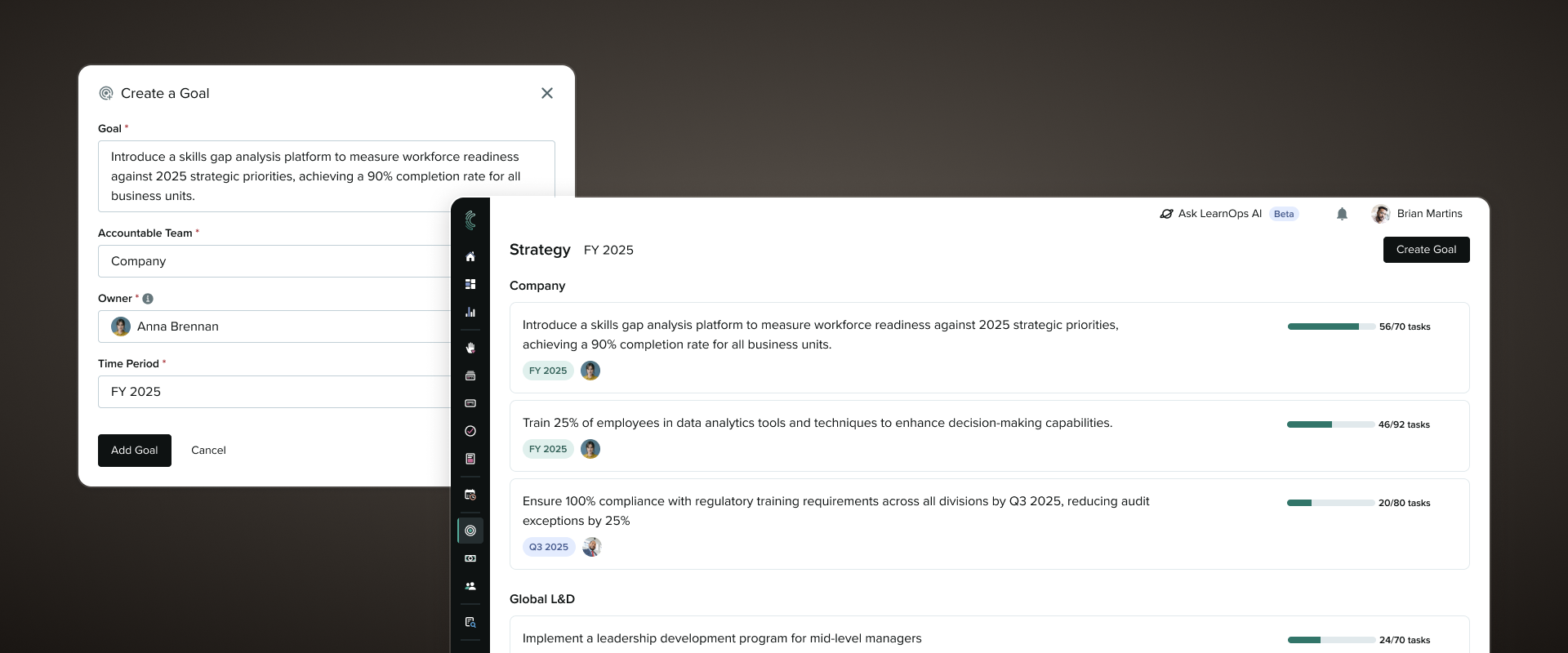
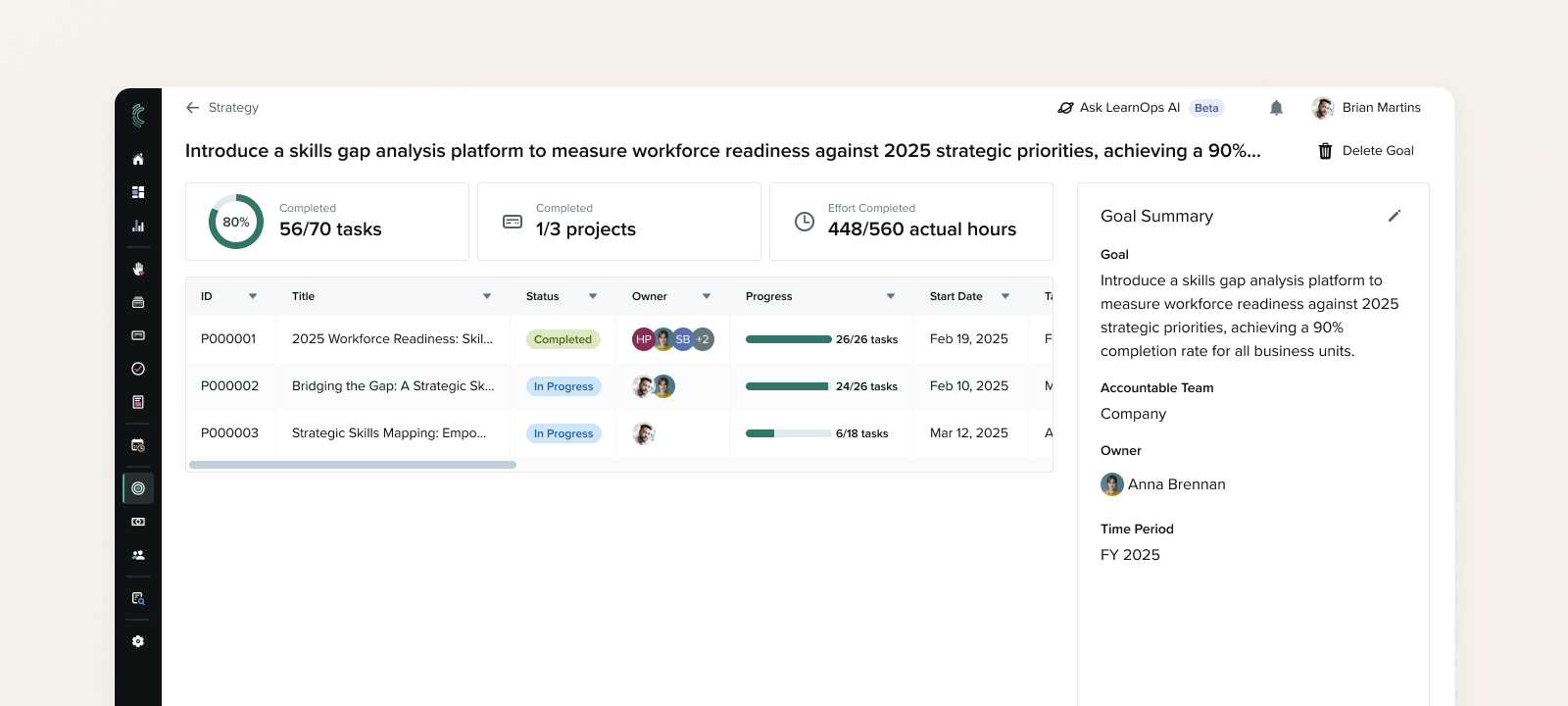
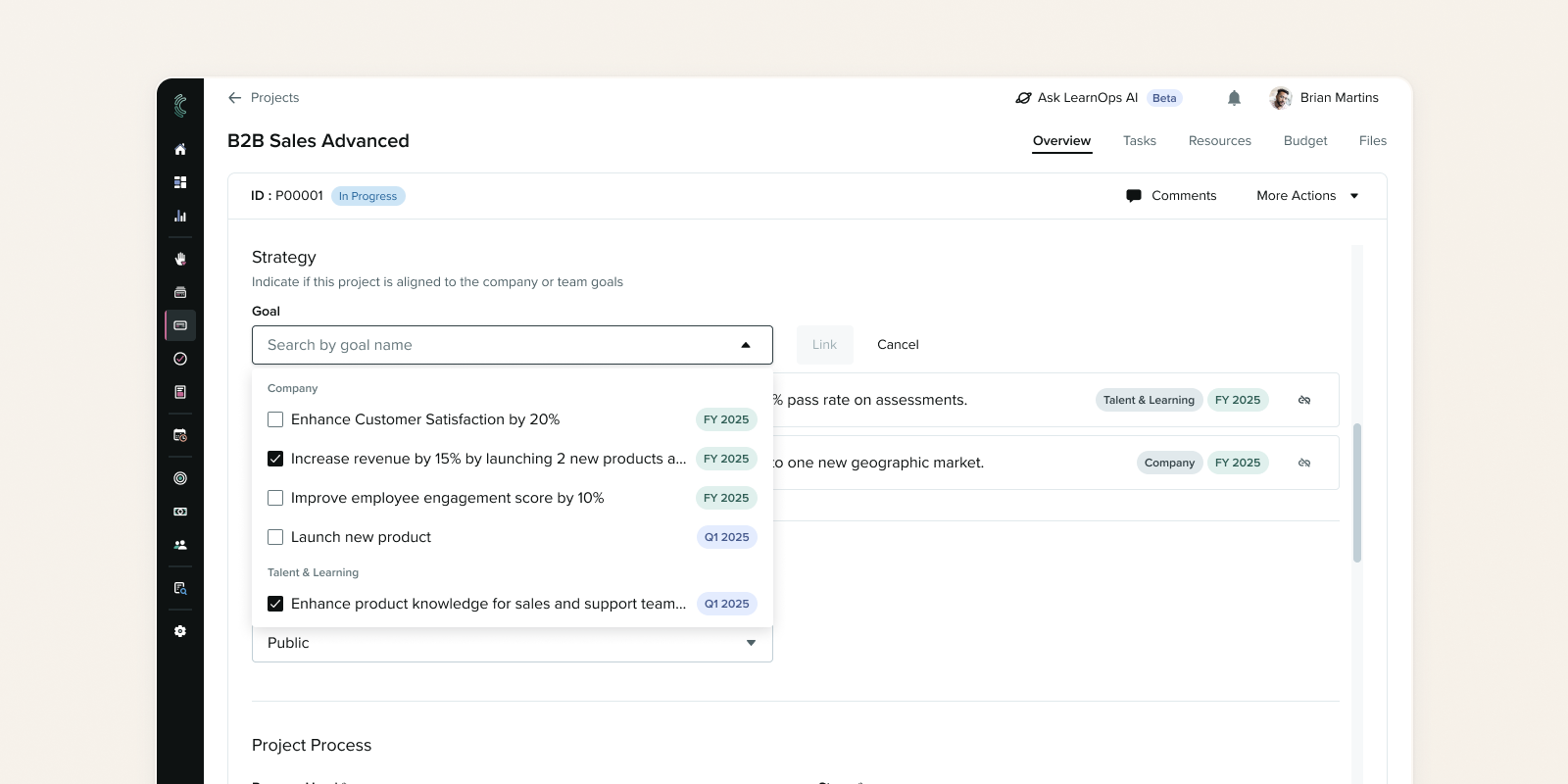
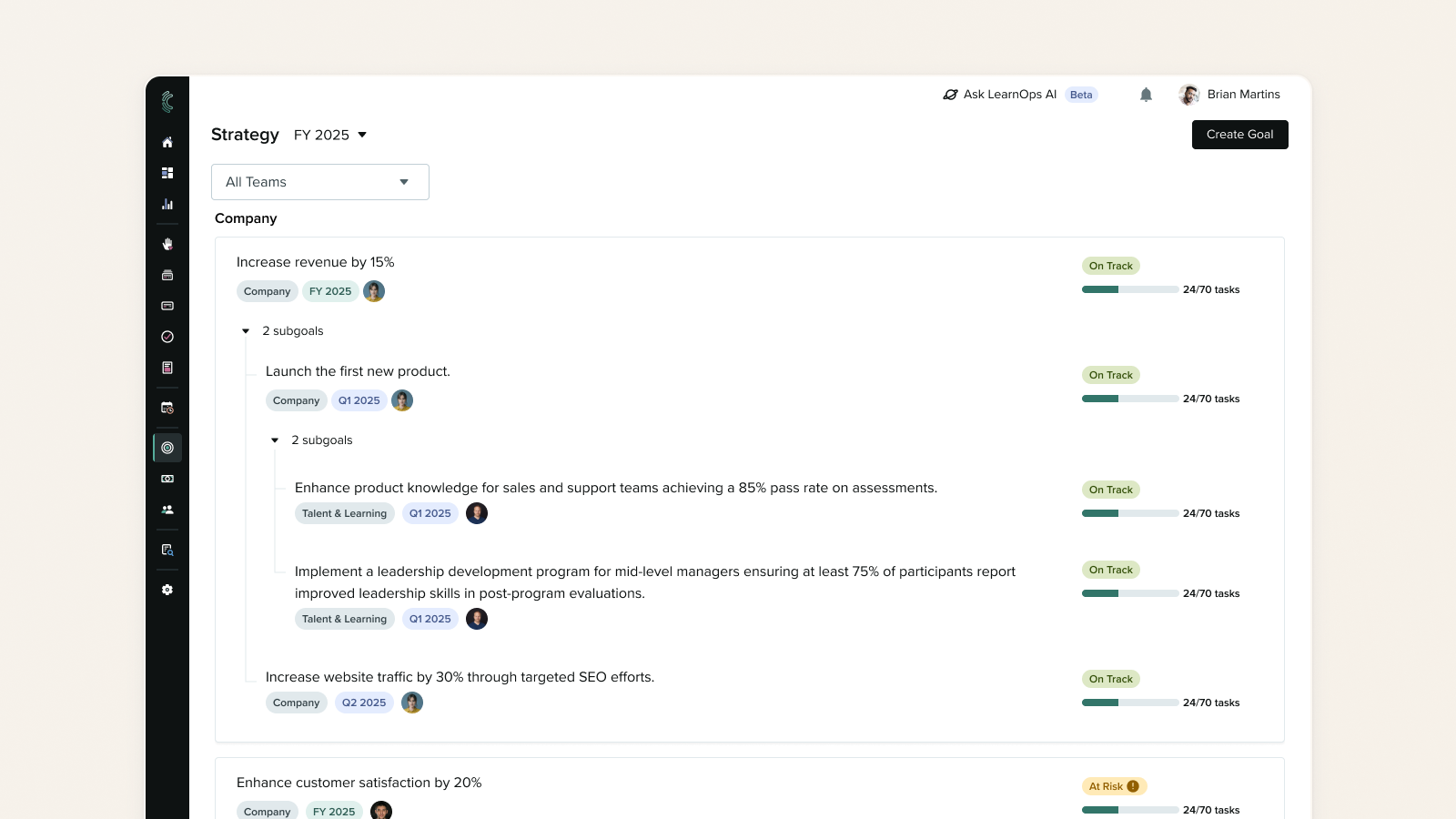
The feature came down to two new pages and one addition to an existing one. The Strategy page lists every goal a user can see, with progress on each card drawn from the work linked to it. Goal Details opens from a card and shows delivery progress for the projects and tasks underneath. On Project Details, we added alignment controls so a project owner can link goals from the place they already work.
Creating a goal asks for four things: a description, where it sits in the org, an owner, and the time period it's active for. The owner defaults to whoever is creating it, since that's usually the same person.
Permissions shaped the model rather than getting handled at the end. Learning teams sit inside organizations where not everyone should see everything, so a user needed to see that a project is linked to a goal owned by another team without being able to open that goal.
Key Decisions
Measuring delivery, not key results. Customers weren't going to track KPIs in Cognota, and nobody wanted another field to maintain. Instead progress comes from work already moving through the platform, which makes it a byproduct of people doing their jobs rather than a reporting chore.
Linking from where the work lives. We put the linking control on the Project Details page rather than the Goal Details page. Someone setting up a project is already thinking about why it exists, and that's the moment worth catching. Linking from the goal side was a reasonable future addition, but it wasn't the moment that mattered.
Shipping a fixed set of time periods, knowingly. Research had shown fiscal years vary a lot, so a fixed FY and quarter series was the wrong long-term answer. We shipped it anyway, because configurable fiscal calendars would have held up a feature customers were asking for, and being opinionated first gave us real usage to design the next version against.
Outcome
The feature demoed in December 2024 and the MVP shipped in February 2025, adopted across 12 customer accounts in the first year.
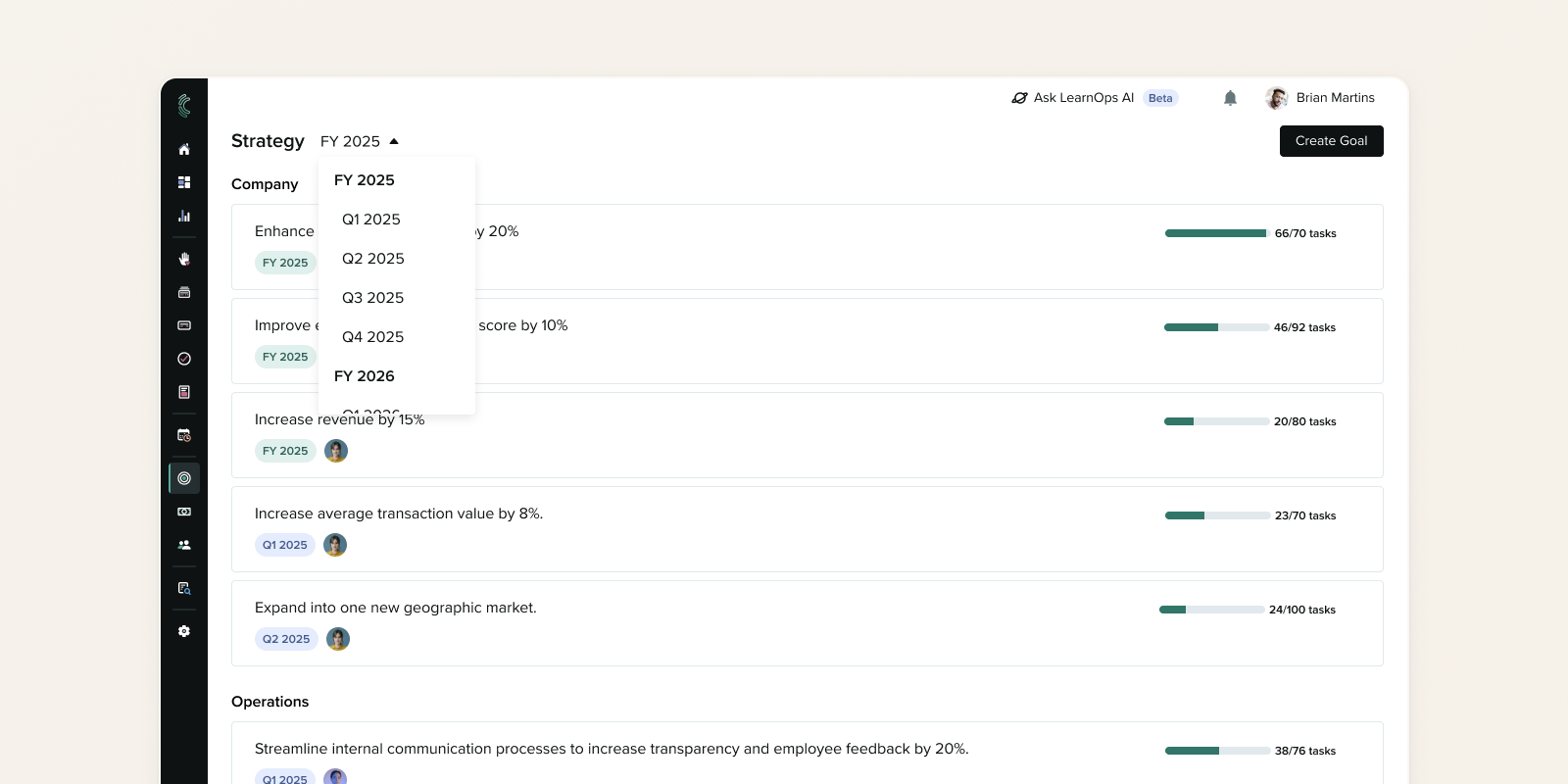
The fixed time periods were a stopgap and we knew it. The decision was to deal with it when we got there. We got there at the end of 2025, when customers wanted to start setting 2026 goals and couldn't. It held for about ten months, which was long enough that we'd make the same call again.
That's also what produced the next signal. Teams now had goals across 2025 and 2026, enough that they couldn't find the ones they were currently working against and now required filtering.
I looked at how other products handle filtering inside a goals section, and we shipped time frame filtering as a post-MVP enhancement.
 Back to Main Page
